


Slide Background
01. Slide Background
Every slide includes a background, which can be a picture or solid color.
Step 1

To change the background click on the label bar and in the layer window select the style tab.

Step 2

Choose a source from the background top tab then upload an image or pick a background color.

Build & Design
02. Build & Design
Build any layout with layers and customize your designs limitlessly.
Step 1

To add a layer, click the green plus button in the left sidebar and select the type of layer.

Step 2

Select any layer and you can edit its content and style properties in the layer window.

previous arrowprevious arrow
next arrownext arrow
Slide Background
Build & Design
previous arrow
next arrow
Shadow

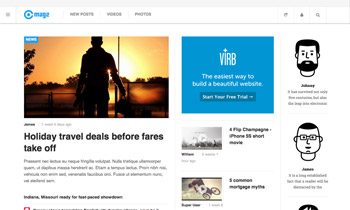
JA Magz is the new Responsive Joomla template

for Joomla 3 & Joomla 2.5, dedicated to News & Magazine categories. It is built on the latest version of T3 Framework, supports multilanguages (up to 40 different languages), RTL language layout, EasyBlog component and many other exciting features.

This October Joomla template is extremely fresh and customizable friendly. Apart from the classic sticky Megamenu navigation, JA Magz also features the Section Menu navigation to offer the categories shortcuts visible at all time.

A Magz is available in 5 colors scheme and 10 bonus pages. If you are in love with Joomla News & Magazine template, JA Magz is definitely a must have in the